
Key Takeaways
- Assess before modernizing: evaluate the application's architecture, codebase, data, integrations, security, and business value before choosing a modernization approach.
- Choose the right modernization path: rehosting, replatforming, refactoring, re-architecting, rebuilding, and replacing suit different technical and business situations.
- Plan for security and scalability: Modernization should strengthen authentication, data protection, API security, monitoring, and infrastructure scalability.
- Modernize in manageable phases: A phased approach can reduce business disruption, control costs, and allow teams to validate each stage before moving forward.
- Budget for long-term improvements: In Dubai, modernization costs can range from AED 15,000 to AED 250,000+, depending on application complexity, technology requirements, integrations, and project scope.
Legacy applications can continue supporting important business operations for years, but older systems can eventually become difficult to maintain, integrate, secure, and scale. Outdated technologies may also limit a company's ability to introduce new digital services or respond quickly to changing customer expectations.
Legacy application modernization provides a structured way to improve these systems without necessarily replacing everything at once. Businesses can modernize existing applications through approaches such as rehosting, replatforming, refactoring, re-architecting, rebuilding, or replacing them with modern solutions.
A successful modernization strategy begins with understanding the existing application, identifying business and technical limitations, selecting the appropriate modernization approach, and planning implementation carefully. This guide explains the key stages, technologies, costs, and challenges businesses should consider before modernizing their legacy applications.
Legacy Application Modernization Market Statistics
The global legacy application modernization market is valued between $21.94 billion and $30.36 billion in 2026, with research firms projecting it to reach up to $92.08 billion by 2034.
- The legacy application modernization market size has grown rapidly in recent years. It will grow from $19.16 billion in 2025 to $21.94 billion in 2026 at a compound annual growth rate (CAGR) of 14.5%.
- The legacy application modernization market size is expected to see rapid growth in the next few years. It will grow to $37.33 billion in 2030 at a compound annual growth rate (CAGR) of 14.2%.
Why Legacy Applications Become a Business Challenge for Modern Organisations
Legacy applications are not necessarily ineffective simply because they are old. Many continue to support critical business functions. However, as technology, customer expectations, and operational requirements evolve, older systems can create limitations that affect efficiency and growth.
Rising Maintenance Requirements
Older applications may require specialised developers who understand outdated programming languages, frameworks, or infrastructure. Finding and retaining this expertise can become increasingly difficult and expensive.
Limited Integration Capabilities
Legacy systems may not easily connect with modern APIs, cloud platforms, analytics tools, or third-party applications. This can make it harder for businesses to create connected digital ecosystems and integrate newer enterprise software development solutions.
Security and Compliance Risks
Older applications may depend on outdated libraries, operating systems, or security practices. If these components are no longer supported, addressing vulnerabilities and meeting changing compliance requirements can become more challenging.
Poor Scalability
Legacy infrastructure may not be designed to handle significant increases in users, transactions, or data. Businesses experiencing rapid growth may therefore face performance limitations.
Slower Innovation
When teams spend significant time maintaining an older system, fewer resources may be available for new features and digital initiatives. This can slow down a company's ability to respond to market changes.
Increasing Operational Costs
Maintenance, infrastructure upgrades, specialised expertise, and workarounds can gradually increase the total cost of keeping an outdated application operational.
What Is Legacy Application Modernization and Why Does It Matter for Growing Businesses?
Legacy application modernization is the process of updating an older software application so it can better support current business requirements, technologies, security standards, and user expectations. The goal is not always to replace the entire system. Businesses can modernize selected components while preserving valuable data and business logic.
Improving Application Performance
Modern infrastructure, updated frameworks, and optimized application architecture can help improve speed, reliability, and overall system performance.
Supporting Modern Integrations
Modernized applications can be designed to work more effectively with APIs, cloud platforms, databases, analytics tools, and third-party services. This makes it easier to connect older business systems with newer digital solutions.
Strengthening Security
Modernization provides an opportunity to replace outdated components, improve authentication, introduce stronger access controls, and address known security weaknesses.
Increasing Scalability
Modern architectures can make it easier to handle growing numbers of users, transactions, and data. Businesses can also adopt scalable cloud infrastructure where appropriate.
Reducing Long-Term Technical Debt
Continuing to patch an outdated application can increase technical debt over time. Modernization can simplify the technology environment and make future updates easier to manage.
Enabling Business Innovation
A modern application foundation allows businesses to introduce new features, automation, analytics, and digital services more efficiently. This can help organizations respond faster to changing customer and operational requirements.
Signs Your Business Has Outgrown Its Legacy Application and Needs Modernisation
Not every older application needs immediate modernization. However, certain technical and business problems can indicate that an existing system is no longer capable of supporting the organization's current requirements.
1. Frequent Performance Problems
Slow response times, application crashes, and recurring downtime can indicate that the existing architecture or infrastructure is struggling with current workloads.
2. Difficult and Expensive Maintenance
If even small updates require significant development effort, extensive testing, or specialised technical knowledge, the application may have accumulated substantial technical debt.
3. Limited Integration Options
An application that cannot easily connect with modern APIs, cloud platforms, payment systems, analytics tools, or other business software can restrict digital expansion.
4. Increasing Security Concerns
Unsupported frameworks, outdated dependencies, and obsolete infrastructure can make it harder to maintain strong security and comply with current requirements.
5. Poor User Experience
Older applications may have interfaces that are difficult to navigate or do not work effectively across modern devices. A poor user experience can affect employee productivity and customer satisfaction.
6. Inability to Scale With Business Growth
If adding users, locations, transactions, or new services repeatedly creates performance or infrastructure problems, the existing application may no longer be suitable for the organization's growth.
7. High Operating Costs
When maintenance, infrastructure, support, and workarounds consume an increasing portion of the technology budget, modernization may offer a more sustainable long-term approach.
Legacy Modernization Approaches: Choosing the Right Path for Your Application
There is no single modernization method that works for every legacy application. Businesses should select an approach based on the application's architecture, business value, technical limitations, available budget, and long-term objectives.
| Approach | What It Involves | Best Suited For |
|---|---|---|
| Rehosting | Moving the existing application to a new infrastructure environment with minimal code changes. | Businesses seeking faster infrastructure migration |
| Replatforming | Moving the application to a modern platform while making limited technical changes. | Applications that need improved infrastructure without major redevelopment |
| Refactoring | Restructuring or improving parts of the existing code without changing its core functionality. | Systems with valuable business logic but inefficient code |
| Re-architecting | Redesigning the application's architecture to improve scalability, flexibility, and performance. | Complex applications facing architectural limitations |
| Rebuilding | Developing a new application while recreating important functionality from the existing system. | Applications that are difficult or expensive to modernize incrementally |
| Replacing | Removing the legacy application and adopting a completely new solution. | Systems that no longer meet business or technical requirements |
How to Assess a Legacy Application Before Modernization: Key Areas to Evaluate
A detailed assessment should come before any major modernization work. It helps businesses understand what is working, what needs improvement, and which parts of the application should be retained, redesigned, or replaced.
Review the Existing Architecture
Start by documenting the application's architecture, programming languages, frameworks, databases, infrastructure, APIs, and dependencies. This creates a clear picture of how different components currently work together.
Evaluate Business Value
Not every application component needs the same level of investment. Identify which features are critical to business operations and which provide limited value. This helps prioritize modernization efforts.
Identify Technical Debt
Review outdated libraries, unsupported technologies, duplicated code, complex dependencies, and other technical issues that may increase maintenance requirements or modernization risks.
Analyse Performance and Scalability
Examine response times, system availability, resource consumption, transaction volumes, and current user loads. This helps determine whether the existing architecture can support future growth.
Examine Security Risks
Assess authentication, authorization, encryption, vulnerabilities, data protection, and access controls. Sensitive applications may require additional security analysis before migration or redevelopment.
Review Integration Requirements
Identify how the legacy application connects with websites, APIs, databases, CRM systems, payment platforms, and other business tools. If the modernization project also involves moving or restructuring an existing website, website migration services can help manage content, databases, URLs, integrations, and other technical components while reducing the risk of disruption.
Estimate Modernization Effort
After the assessment, businesses can estimate development resources, technology requirements, migration complexity, testing needs, and potential downtime. This information provides a more realistic foundation for planning the modernization project.
Building a Practical Legacy Application Modernization Strategy for Long-Term Business Growth
A successful modernization project requires more than selecting a new technology. Businesses need a clear strategy that connects technical improvements with operational goals, user requirements, budget, and future growth plans.
Define Clear Modernization Goals
Start by identifying what the business wants to achieve. Goals may include improving application performance, reducing maintenance costs, strengthening security, enabling integrations, or supporting more users.
Prioritize Applications and Features
Modernizing every component at once can increase cost and risk. Businesses should identify critical applications and high-impact features first, then create a phased modernization roadmap.
Select the Appropriate Approach
Based on the initial assessment, businesses can choose between rehosting, replatforming, refactoring, re-architecting, rebuilding, or replacing. Different components may require different approaches.
Plan Data and Integration Migration
Data, APIs, third-party services, and internal systems should be mapped before development begins. A structured migration plan can reduce data loss, compatibility problems, and operational disruption.
Choose the Right Technology
The technology stack should support the application's performance, security, scalability, and integration requirements. Businesses should avoid choosing technologies simply because they are popular and instead focus on long-term suitability.
Modernize in Manageable Phases
A phased approach allows businesses to modernize selected components while keeping critical operations running. Teams can test each stage, collect feedback, and address issues before moving to the next phase.
Establish Testing and Monitoring
Functional, performance, security, integration, and user acceptance testing should be included throughout the project. Continuous monitoring after deployment can also identify problems that require further optimisation.
Work With Experienced Specialists
Modernization often involves complex architecture, migration, integration, and security requirements. Working with an experienced enterprise software development company can help businesses plan the technical roadmap and manage large-scale modernization projects more effectively.
Technology Considerations That Shape a Successful Legacy Application Modernization
Technology selection plays an important role in determining how effectively a legacy application can be modernized. The right choices should improve maintainability, scalability, security, integration, and performance while supporting the application's long-term roadmap.
Modern Programming Languages and Frameworks
Businesses may replace outdated programming languages or frameworks with modern technologies that have stronger developer ecosystems and ongoing support. The choice should depend on application requirements rather than technology trends alone.
Cloud-Native Architecture
Modernization can involve moving workloads toward containers, microservices, serverless components, or managed cloud services. Cloud-based custom software development can provide greater flexibility when businesses need applications that can scale and integrate with modern cloud infrastructure.
Database Modernization
Legacy applications may depend on outdated databases or inefficient data structures. Modernization can involve database upgrades, migration to managed database services, schema improvements, or the introduction of more suitable database technologies.
API and Integration Architecture
Modern APIs can help legacy applications communicate with newer business systems, mobile applications, third-party services, and analytics platforms. A well-designed integration layer can also reduce dependency between individual application components.
Choosing the Right Technology Stack
The custom software development tech stack should be selected according to factors such as performance, security, scalability, development expertise, integration requirements, and future maintenance.
Automation and Monitoring Tools
Modern applications can benefit from automated testing, deployment pipelines, application monitoring, logging, and infrastructure automation. These tools can improve reliability and make future updates easier to manage.
The technology strategy should ultimately support the business objective of modernization rather than introducing unnecessary complexity. A carefully selected architecture can make the application easier to maintain, scale, secure, and evolve.
How Cloud Migration Can Accelerate Legacy Application Modernization and Business Transformation
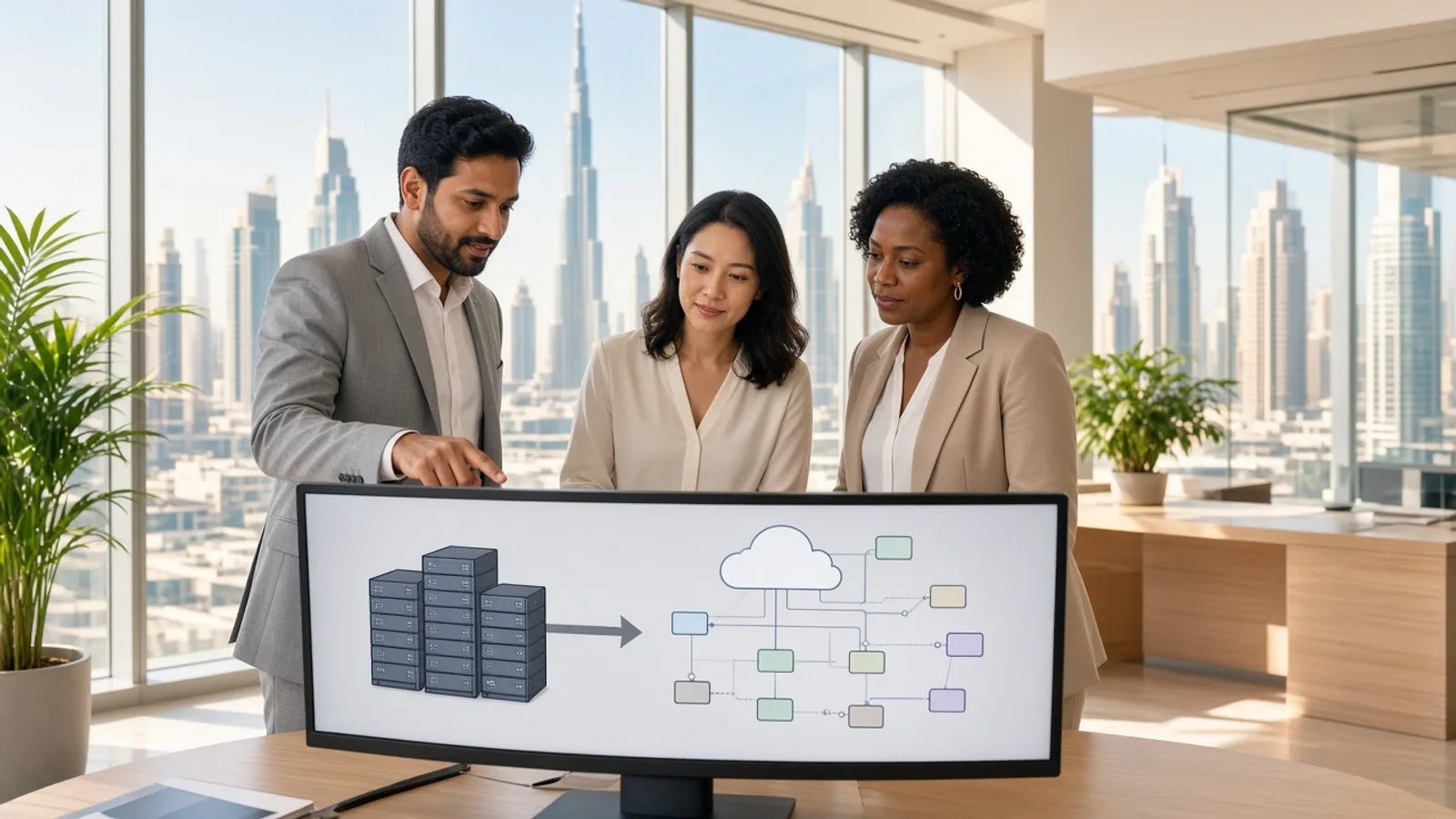
Cloud migration is often an important part of modernizing legacy applications. Moving applications and their supporting infrastructure to the cloud can provide access to scalable computing, managed services, modern databases, and improved infrastructure management.
Moving Legacy Workloads to Modern Infrastructure
Businesses can migrate applications from on-premises servers to cloud infrastructure while choosing an approach such as rehosting, replatforming, or re-architecting. The appropriate method depends on the application's architecture and modernization goals.
Improving Scalability
Cloud infrastructure allows businesses to adjust computing resources according to application demand. This can be particularly useful for applications experiencing increasing users, transactions, or data volumes.
Modernizing Databases and Storage
Cloud providers offer managed database and storage services that can replace or complement older infrastructure. These services can simplify maintenance, backups, monitoring, and resource management.
Supporting Application Integration
Cloud environments can make it easier to connect legacy applications with APIs, analytics platforms, AI tools, and other modern business systems. This can help organizations gradually build a more connected technology environment.
Reducing Infrastructure Management
Businesses can reduce their dependence on physical infrastructure and shift many infrastructure management responsibilities to cloud providers. This allows internal teams to focus more on application improvements and business priorities.
Planning Migration Carefully
Cloud migration should be approached in phases when applications are business-critical. Teams should assess dependencies, test workloads, create backups, define rollback procedures, and monitor applications after migration.
Working with experienced cloud migration service providers can help businesses assess existing infrastructure, select an appropriate migration strategy, and reduce the risks associated with moving legacy workloads.
Security and Compliance During Application Modernization: Key Practices to Follow
Modernizing a legacy application can improve security, but the migration process itself can introduce new risks if security is not planned from the beginning. Businesses may be moving sensitive customer information, databases, APIs, authentication systems, and business logic into new environments, making security a critical part of the modernization strategy.
Protecting Data During Migration
Data should be protected while it is transferred between legacy and modern systems. Encryption, secure transfer protocols, access controls, backups, and data validation can help reduce the risk of data exposure or corruption during migration.
Strengthening Authentication and Access Controls
Legacy applications may rely on outdated authentication methods or broad user permissions. Modernization provides an opportunity to introduce stronger authentication, role-based access controls, multi-factor authentication, and more granular permissions.
These controls help ensure that employees, administrators, customers, and connected systems can access only the information and functionality they require.
Securing APIs and Integrations
Modern applications commonly depend on APIs to communicate with databases, third-party platforms, and other business systems. Each integration creates another potential entry point that needs to be secured.
API authentication, authorization, encryption, rate limiting, input validation, and monitoring should therefore be incorporated into the modernized architecture. This is particularly important when a mobile app development company is connecting a new mobile application to a modernized legacy backend.
Meeting Industry and Privacy Requirements
Modernization projects may need to comply with privacy laws, industry regulations, contractual requirements, or internal security policies. The specific requirements depend on the type of data being processed and the markets in which the business operates.
Monitoring Security After Modernization
Security does not end when the modernized application goes live. Continuous monitoring can help identify unusual activity, failed authentication attempts, configuration problems, vulnerabilities, and other potential threats.
How Much Does Legacy Application Modernization Cost? Key Factors and Pricing Breakdown
Legacy application modernization costs in Dubai can range from around AED 15,000 to AED 250,000+, depending on the application's age, complexity, modernization approach, number of integrations, data volume, security requirements, and the technology changes involved.
For comparison, businesses can also consider the broader custom software development cost when deciding whether modernizing an existing system or rebuilding it entirely provides better long-term value.
Estimated Modernization Cost in Dubai
| Modernization Project Type | Estimated Cost in Dubai |
|---|---|
| Basic Legacy Application Upgrade | AED 15,000 – AED 35,000 |
| Rehosting or Replatforming | AED 35,000 – AED 70,000 |
| Application Refactoring | AED 60,000 – AED 110,000 |
| Architecture Modernization | AED 90,000 – AED 160,000 |
| Application Rebuilding | AED 130,000 – AED 200,000 |
| Complex Enterprise Modernization | AED 200,000 – AED 250,000+ |
These figures are approximate development estimates rather than fixed quotations. The final budget depends on the existing application's condition, required functionality, development team, integrations, infrastructure, and project scope.
How Long Does Legacy Modernization Take?
The timeline can vary from a few weeks for a relatively simple upgrade to several months for a large-scale modernization project.
| Project Scope | Approximate Timeline |
|---|---|
| Basic Upgrade | 3–6 weeks |
| Rehosting or Replatforming | 1–3 months |
| Refactoring | 2–4 months |
| Architecture Modernization | 3–6 months |
| Application Rebuilding | 4–8 months |
| Enterprise Modernization | 6–12+ months |
Projects involving complex databases, multiple third-party integrations, large datasets, or strict compliance requirements generally require additional planning and testing time.
Common Legacy Modernization Challenges and How to Handle Them
Legacy application modernization can improve performance, security, scalability, and maintainability, but the process can also create technical and operational difficulties. Businesses need to understand these challenges before starting modernization so they can reduce disruption and maintain continuity throughout the project.
| Modernization Challenge | Potential Impact | Practical Way to Handle It |
|---|---|---|
| Outdated Technology | Makes development, maintenance, and integration difficult | Gradually replace unsupported technologies with modern frameworks and platforms |
| Complex Legacy Code | Increases development time and makes changes risky | Document the existing system and modernize critical components in phases |
| Data Migration Risks | Can lead to data loss, duplication, or inconsistencies | Create backups, validate data, and perform controlled migration testing |
| Integration Difficulties | Prevents the modernized application from communicating with existing systems | Use APIs, integration layers, and well-defined data interfaces |
| Business Disruption | Modernization may interrupt important operations | Use phased releases, parallel systems, and carefully planned deployment windows |
| Security Vulnerabilities | Exposes applications and sensitive information to potential threats | Introduce modern authentication, encryption, monitoring, and security testing |
| Limited Technical Documentation | Makes it difficult to understand existing functionality | Analyse source code, interview stakeholders, and document critical workflows |
| Employee Resistance | Users may struggle to adopt new workflows or interfaces | Provide training, involve users early, and introduce changes gradually |
| Budget Overruns | Unexpected technical issues can increase project costs | Define priorities, estimate risks early, and maintain contingency budgets |
| Migration of Web Platforms | Moving websites or web applications can affect content, URLs, databases, and integrations | Use structured website migration services and test redirects, data, and functionality before launch |
Managing Technical Debt
Years of patches and workarounds can make a legacy application difficult to modify safely. Developers may need significant time to understand dependencies before making changes.
A detailed technical assessment can identify high-risk components and help the team decide which parts should be refactored, replaced, or retained.
Handling Data Migration Carefully
Data is often one of the most valuable assets connected to a legacy application. Poor migration planning can result in missing records, duplicate information, corrupted data, or compatibility problems.
Teams should create backups, define data-mapping rules, clean outdated records, and perform multiple migration tests before moving production data.
Maintaining Business Continuity
A company may depend on its legacy application for everyday operations, making a complete shutdown impractical. A phased modernization strategy can allow old and new components to operate together while functionality is gradually transferred.
Finding the Right Technical Expertise
Modernization may require knowledge of legacy technologies as well as cloud platforms, APIs, databases, cybersecurity, and modern application architectures. Working with an experienced custom software development company can help businesses evaluate the existing system and select an appropriate modernization approach.
For projects involving customer-facing web platforms, businesses may also evaluate web app development companies in Dubai that understand modern web architectures, integrations, and scalable application development.
Controlling Scope and Budget
Modernization projects can expand when businesses discover additional technical problems or decide to introduce new functionality during development. This can affect both cost and delivery timelines.
Conclusion
Legacy application modernization allows businesses to replace outdated technology while preserving valuable business processes and data. Instead of immediately rebuilding an entire system, organizations can assess their existing applications and select an approach that matches their technical condition, operational requirements, and long-term goals.
For businesses in Dubai, modernization can involve anything from a simple infrastructure upgrade to a complete architectural transformation involving cloud platforms, modern APIs, databases, security controls, and scalable application technologies.
The most effective approach is to begin with a detailed assessment, establish clear priorities, and modernize the application in manageable stages. With the right strategy and experienced development expertise, organizations can reduce technical debt, improve application performance, strengthen security, and create a more flexible foundation for future business growth.
Frequently Asked Questions
1. What is legacy application modernization?
Legacy application modernization is the process of upgrading or transforming outdated software to improve its performance, security, scalability, and compatibility with modern technologies.
2. How much does legacy application modernization cost in Dubai?
Legacy application modernization in Dubai can cost around AED 15,000 to AED 250,000+, depending on the application's complexity, modernization approach, integrations, and security requirements.
3. How long does legacy application modernization take?
A modernization project can take 3 weeks to 12+ months, depending on the application size, technical complexity, data migration requirements, and project scope.
4. What are the main legacy modernization approaches?
The main approaches include rehosting, replatforming, refactoring, re-architecting, rebuilding, and replacing the existing application.
5. Can legacy applications be migrated to the cloud?
Yes. Legacy applications can often be moved to cloud infrastructure through rehosting, replatforming, refactoring, or re-architecting, depending on their technical requirements.
6. Why is data migration important during modernization?
Data migration ensures that important business information is transferred accurately and securely from the legacy system to the modernized environment without unnecessary data loss or disruption.